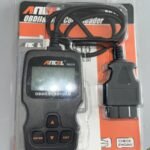
Plug AD310 into the OBD-II port, turn key ON, read codes, interpret, and clear.
I have used this tool in driveways and shops, and I will show you how to use ancel ad310 code reader like a pro. This guide explains setup, menus, live data, code fixes, and smart tips, all in plain English.
What the ANCEL AD310 Is and Why It Matters
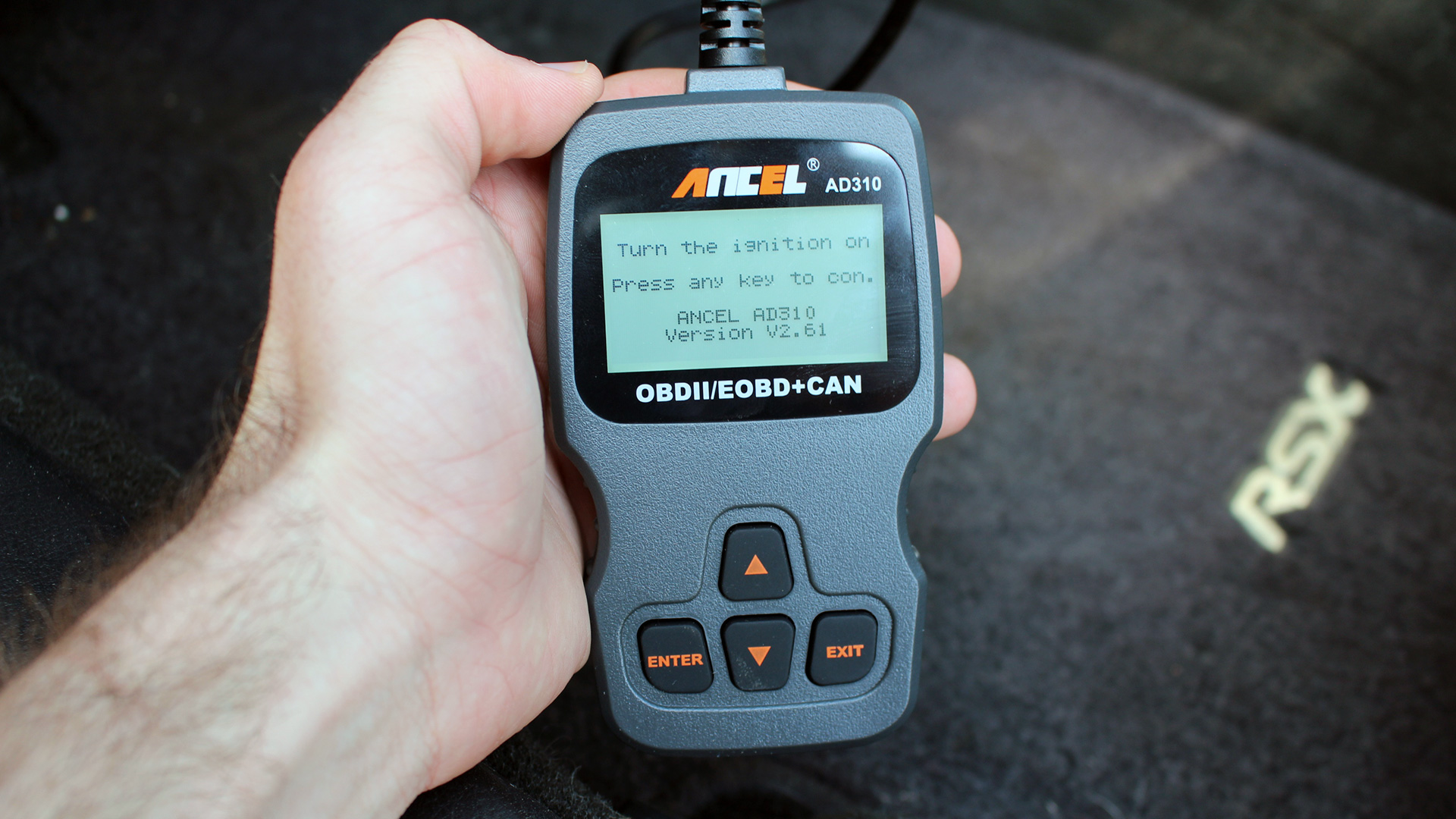
The ANCEL AD310 is a basic OBD-II code reader. It plugs into your car’s diagnostic port and talks to the engine control module. It can read and clear trouble codes and check emissions readiness.
Cars and light trucks sold in the US since 1996 use OBD-II. The AD310 uses standard protocols defined by SAE rules. It works with most gasoline cars and many diesel cars. It covers powertrain codes and emissions data.
I have carried an AD310 in my glove box for years. It has helped me avoid guesswork and bad parts buys. If you learn how to use ancel ad310 code reader well, you can save time and money.
Step-by-Step: First-Time Setup and Use
Follow these simple steps to learn how to use ancel ad310 code reader the right way.
- Park safely. Set the parking brake. Turn off accessories like AC and lights.
- Find the OBD-II port. It is under the dash, usually near the steering wheel.
- Plug in the AD310. It powers on from the car. No batteries needed.
- Turn the key to ON. Do not start the engine yet unless told on-screen.
- Wait for “Link” or “OBDII.” The tool will connect to the car.
- Choose Read Codes. Note stored and pending codes.
- Save the codes. Write them down or take a photo with your phone.
- Check I/M Readiness. See if monitors are complete for emissions tests.
- View Freeze Frame or Data. Confirm engine conditions when the fault set.
- Fix the cause. Do not clear codes until you address the problem.
- Clear Codes if needed. Then drive and recheck for returning faults.
Pro tip from my field notes: If the tool shows “Link Error,” turn the key OFF, reseat the plug, and try again. Some cars connect only with the key ON and engine OFF.
The AD310 Menus and What Each One Does
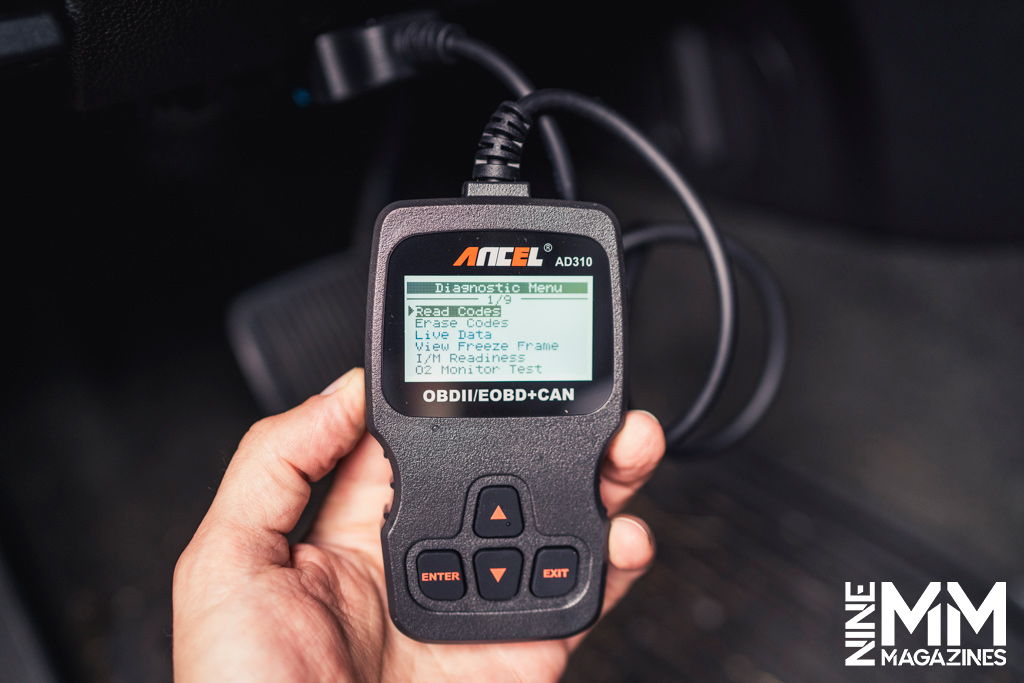
Knowing the menus is key to how to use ancel ad310 code reader with confidence. Menu names can vary a bit by version, but you will see most of these.
- Read Codes. Shows stored and pending DTCs. Stored means confirmed. Pending means the fault happened once and needs one more event to set hard.
- Erase Codes. Clears codes and turns off the check engine light. It also resets monitors. Use this only after a repair or for testing.
- I/M Readiness. Shows which emissions monitors are complete. If a monitor is “Not Ready,” the car may fail a smog test, even with no codes.
- Data Stream. Displays live sensor data like O2 values, coolant temp, RPM, and fuel trims. Use it to confirm a fault and check fixes.
- Freeze Frame. Shows a snapshot of sensor data at the time a fault set. It can point you to heat, load, or speed conditions that matter.
- Vehicle Info. Reads VIN and calibration IDs if the car supports Mode 9. This helps match service data to the right car.
Note: Features depend on the car. Some models do not offer full live data or Mode 9. This is normal for OBD-II basics.

Understanding Codes: What They Mean and How to Act
Each DTC has a format like P0301. P is for powertrain. The first number shows type. 0 is generic. 1 is manufacturer specific. The last three digits show the exact fault.
Common examples I see often:
- P0300. Random misfire. Check plugs, coils, and vacuum leaks.
- P0301 to P0306. Misfire on a named cylinder. Swap coils to test.
- P0171. System too lean bank 1. Check intake leaks and MAF sensor.
- P0420. Catalyst below threshold. Check O2 sensors and exhaust leaks.
- P0442. Small EVAP leak. Inspect cap seal and vapor lines.
Use Freeze Frame and fuel trims to guide repair. Short-term and long-term trims near zero are good. Big positive trims hint at air leaks. Big negative trims hint at rich mix.
This is the heart of how to use ancel ad310 code reader well. Read the code. Confirm with data. Fix the root cause. Then clear and verify.
A Real-World Workflow From My Garage
Here is how I handle a car with a blinking light and rough idle.
- Read codes. P0302 shows a misfire on cylinder 2.
- Check live RPM and misfire counts if supported. Confirm the skip.
- Swap coil 2 with coil 4. Clear codes. Drive and watch.
- If the code moves to P0304, the coil is bad. Replace it.
Another case: P0442 small EVAP leak.
- Tighten or replace the gas cap. Clear. Drive two days.
- If the code returns, inspect hoses and the purge valve.
- Use smoke testing if needed.
Mistakes to avoid from my early days:
- Clearing codes before saving them. You lose clues and Freeze Frame.
- Replacing O2 sensors for P0171 without smoke testing. It is often a vacuum leak.
- Ignoring I/M Readiness before smog. A Not Ready monitor can ruin your test day.
Stories like these show how to use ancel ad310 code reader for quick wins and fewer parts guesses.
Smart Tips, Shortcuts, and Safety
Want a smoother process for how to use ancel ad310 code reader? Try these.
- Test the battery first. Low voltage can throw false codes and drop links.
- Do a visual check. Look for loose hoses, cracked boots, and corroded grounds.
- Record everything. Note codes, trims, temps, and mileage. It helps later.
- Use drive cycles. Follow known patterns to set monitors after a repair.
- Do not clear codes at the test site. Monitors reset and you may fail readiness.
- Wear eye protection. Keep loose sleeves away from belts and fans.
- Work in a ventilated area. Exhaust fumes build up fast.
Accuracy tip: Match your parts to the code with data, not guesses. This single habit will save you the most money over time.

Limits of the AD310 and When to Visit a Pro
The AD310 is great for engines and emissions. It is not a full dealer tool. It may not read ABS, SRS, transmission, or body codes. It cannot code modules or run service routines.
Live data refresh can be slow on some cars. Old or rare models may not share all data. Some manufacturer codes need a brand-specific scanner.
If you see complex faults, hard no-starts, or repeated failures, seek a pro. Provide your saved codes and notes. This speeds up diagnosis and cuts labor time.
Knowing these limits is part of how to use ancel ad310 code reader with realistic expectations.
Troubleshooting the Scanner Itself
If the tool will not power up:
- Check the car’s OBD fuse. Many cars power the port through a fuse.
- Try another vehicle. If it works there, your port may be dead.
- Push the connector in firmly. A loose fit breaks the CAN link.
If you get Link Error or No Communication:
- Key ON, engine OFF first. Then try again.
- Start the engine if prompted. Some ECUs wake only when running.
- Wiggle the plug slightly to ensure solid contact.
If the screen is dim or language is wrong:
- Use the Setup menu to adjust contrast, backlight, or language.
- Reset the tool by unplugging for 10 seconds.
These checks round out how to use ancel ad310 code reader without frustration.
Frequently Asked Questions of how to use ancel ad310 code reader
How do I find the OBD-II port?
It is under the dash near the driver’s side. Use a flashlight and look for a 16-pin trapezoid connector.
Can I damage my car using the AD310?
No, reading data is safe. Erasing codes only clears memory and readiness; it does not change tuning.
Do I need the engine running to read codes?
No, key ON is enough for most cars. Some live data items show better with the engine running.
Will it read ABS or airbag lights?
Usually not. The AD310 focuses on engine and emissions data, not ABS or SRS modules.
How do I pass emissions with the AD310?
Use I/M Readiness to confirm monitors are complete. Fix codes, clear memory, then drive the proper cycle until all show Ready.
What should I do after clearing codes?
Drive the car across city and highway speeds. Recheck for returning codes and confirm monitors are Ready.
Is there a guide for how to use ancel ad310 code reader on hybrids?
Yes, the steps are the same, but some hybrids show limited live data. Ensure the car is in the right “ON” mode per the manual.
Can I use how to use ancel ad310 code reader steps on a 1995 car?
No. OBD-II began in 1996 for US cars. A 1995 may use an older system and different connector.
What if the code keeps coming back?
You likely have an unresolved root cause. Use live data and Freeze Frame to narrow it down, or see a technician.
How do I learn more about how to use ancel ad310 code reader with fuel trims?
Watch STFT and LTFT at idle and cruise. Big positive trims mean it is adding fuel, often from a vacuum leak or weak fuel pressure.
Conclusion
You now know how to use ancel ad310 code reader from plug-in to repair. Read and save codes, confirm with data, fix the cause, and verify with readiness. Work in small steps, keep notes, and avoid guessing.
This small tool can make you confident with any check-engine light. Try these steps on your next fault, learn from the data, and build your skills. Want more guides like this? Subscribe, share your results, or leave a question below.