
My First Impression of CandyIcons AI
Imagine you have a great idea for an app, but you’re not a designer. I know that feeling. Making a professional-looking app icon can feel like a huge challenge. That’s why I was so excited to discover CandyIcons. This tool promises to let you create amazing icons with AI, in just three easy steps. When I first tried it, I was surprised at how simple and fast it was. It felt like I had a professional designer right there with me, helping me bring my ideas to life.
Click here to unlock the potential of CandyIcons and elevate your app design instantly!
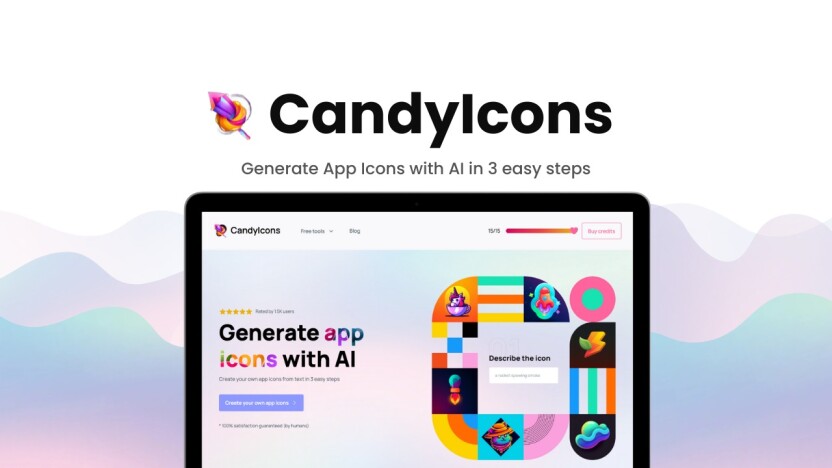
What is Candyicons AI
CanAdyIcons is a tool to make app icons. This tool uses AI. Users can make icons in three easy steps. The purpose is to help people create unique icons. The icons are for apps, websites, and more.
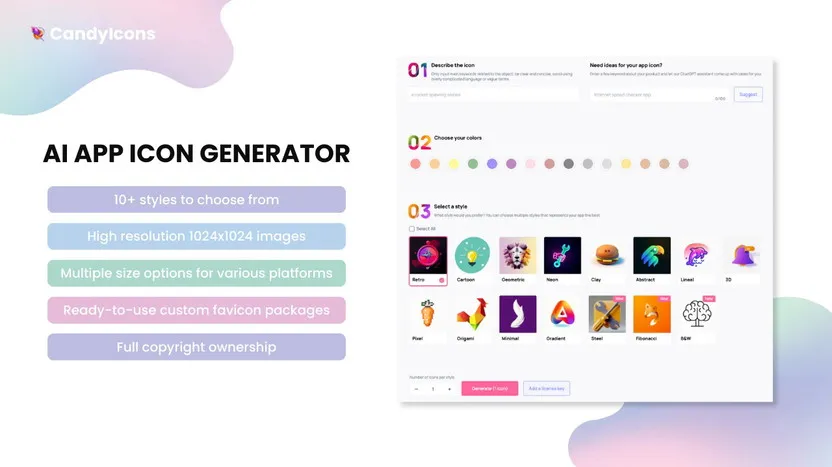
CandyIcons makes app icons in just three easy steps:
- Write a few words to describe your icon.
- Pick your desired colors.
- Choose one of 15 styles.
Then the AI (powered by DALL·E 3) creates a beautiful, royalty-free app icon from your words. It also gives you matching favicons and sizes for Apple devices—no manual resizing needed!
Visit CandyIcons to learn more.
Key Features Of Candyicons
The best part about CandyIcons is how simple and powerful it is. Here are the features that stood out to me:
- AI-Powered Design:
The AI feels like magic. I type a short description, and it creates a unique, professional icon in seconds. - Easy 3-Step Process:
I just describe my idea, pick from 15+ styles, and hit generate. That’s it—icon ready! - High-Quality Exports:
Every icon comes in 1024×1024 high-resolution PNG, perfect for apps, websites, or presentations. - Free Extra Generators:
It even creates favicons for browser tabs and Apple app assets for iOS and macOS automatically. No extra tools needed. - Royalty-Free Icons:
Everything I make is mine to use, whether it’s for personal projects or business apps. - Icon Library & AI Prompts:
I can explore a growing library of templates or let the AI suggest creative ideas. - Secure Storage:
All my designs are saved safely on secure servers, so I never lose my work.
This mix of simplicity, quality, and flexibility is what makes CandyIcons one of the best app icon generators I’ve ever tried.
Pricing And Affordability
I was really impressed with the pricing, especially the lifetime deal available on AppSumo. Instead of a monthly fee, you pay a one-time price and get to use it forever.
- Plan 1: For $39, you get 40 icon credits each month.
- Plan 2: For $78, you get 80 icon credits each month.
- Plan 3: For $117, you get 120 icon credits each month.
Compared to hiring a designer or paying for expensive software every month, these one-time payments are a fantastic deal. It makes professional design accessible to everyone, from small startups to freelance developers.
Pros And Cons
From my experience, here’s what I found to be the good and bad about using CandyIcons.
Pros:
- Super Easy to Use: You don’t need any design skills. The simple steps make it perfect for beginners.
- Saves Time and Money: You can create an icon in minutes, and the lifetime deal is much cheaper than hiring a designer.
- High-Quality Results: The AI creates icons that look modern and professional.
- Full Ownership: You get full copyright for every icon you create.
Cons:
- Limited Customization: While the AI is great, it might not offer the same level of unique, personal touches that a human designer can provide.
- Credit System: The number of icons you can create each month depends on your plan, which can be a small limitation if you need a huge number of icons all at once.
Ideal Users
CandyIcons is the perfect tool for a few different types of people:
- App Developers: If you’re building an app and need a quick, professional icon without the high cost of a designer.
- Small Businesses and Startups: Teams with limited budgets who need to create a great brand image fast.
- Marketers and Web Designers: Anyone who needs to create unique icons for websites, social media, or marketing materials.
Frequently Asks Questions
How does the AI work in CandyIcons?
The tool uses DALL·E 3 to turn your text description into unique app icons. You choose colors and styles, and the AI generates polished, royalty-free icons.
Can I customize the icons?
Yes! You can adjust colors, pick from 15 styles, and even browse templates to mix and match. You own full rights to your icons too.
What other tools does CandyIcons include?
Besides icons, it includes a free favicon generator and Apple asset generator for perfect iOS/macOS icon sizes—no manual resizing needed.
Do I Own The Icons I Create With CandyIcons?
Yes, you do. With CandyIcons, you get full copyright and ownership of all the icons you generate, so you can use them for any personal or commercial project.
Final Thoughts
After using CandyIcons, I can confidently say it’s a great tool. It makes the complicated process of icon design simple and fun. The lifetime deal is a fantastic value, and the quality of the icons is really impressive. If you’re looking for an easy, affordable, and fast way to get professional app icons, you should definitely check it out. It’s a smart choice for anyone who wants to make their app stand out.