
I have two YouTube channels—one for GenZTool and another for BorealDiary. I create lots of shorts and reels for social media and YouTube. I uploaded them to YouTube, but my videos didn’t get many views and were hard to find. Then I found the VidTechy YouTube video tool. It helped me write better titles, pick the right keywords, and understand what my viewers liked. I didn’t need any special skills. It finally felt like I had found something that actually worked.

What Is VidTechy?
VidTechy is an online tool that helps your YouTube videos rank higher and get noticed. It shows you the best tags and titles to use. It also gives helpful tips to make your videos easier to find.
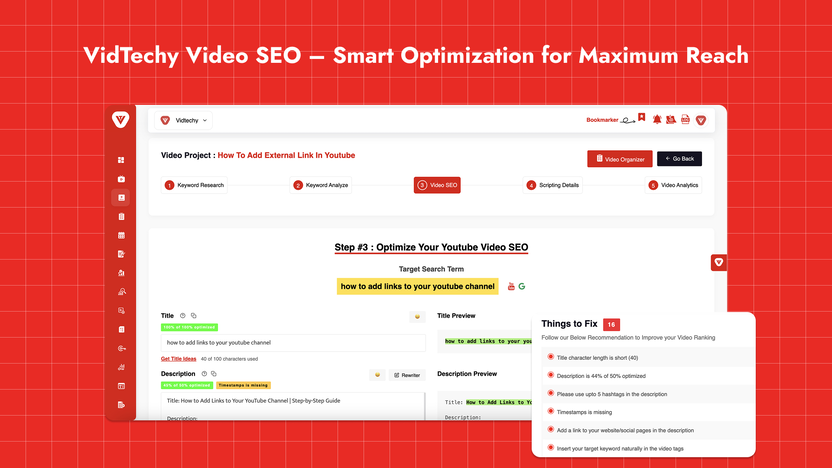
I didn’t have to guess what worked. VidTechy gave clear steps. I just followed them, and slowly, I saw my videos move up in YouTube search results.
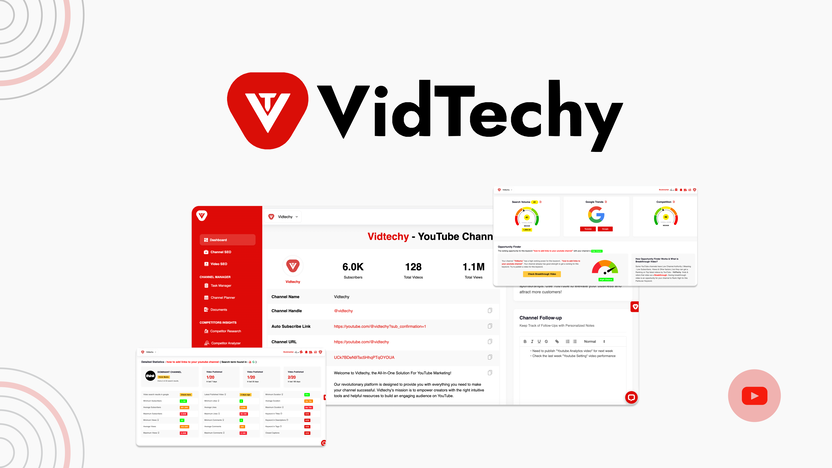
Key Features Of Vidtechy
🔍 Finds the Best Keywords
I got the right words to put in my video title and description. More people found my content.
📊 Clear Video Reports
I could see what worked and what didn’t. It helped me improve each time.
🧠 Smart Suggestions
I got tips to improve my titles and tags. I used them and saw better results.
🧾 Simple to Use
No confusing setup. I clicked, added my video, and followed the tool’s advice.
💰 One-Time Payment
No monthly fees! I paid once and got lifetime access.
Pricing Plan
I’ve used other video tools before. Most of them charge every month. But VidTechy only asked me to pay once.
- No subscription
- Full access forever
- Great for saving money over time
| Features | License Tier 1 $59 | License Tier 2 $119 | License Tier 3 $249 | License Tier 4 $399 |
|---|---|---|---|---|
| Access | Lifetime access | Lifetime access | Lifetime access | Lifetime access |
| Channels | 1 | 3 | 5 | 10 |
| ADS module | ❌ | ❌ | ✅ | ✅ |
| Team collaboration | ❌ | ❌ | ✅ | ✅ |
| Advanced AI tools | ❌ | ❌ | ✅ | ✅ |
| SEO & research (unlimited) | ✅ | ✅ | ✅ | ✅ |
| Video optimization | ✅ | ✅ | ✅ | ✅ |
| Keyword & title analyzer | ✅ | ✅ | ✅ | ✅ |
| Title & description generator | ✅ | ✅ | ✅ | ✅ |
| Tag & hashtag finder | ✅ | ✅ | ✅ | ✅ |
| Topics research | ✅ | ✅ | ✅ | ✅ |
| Keyword autocomplete | ✅ | ✅ | ✅ | ✅ |
| Video & channel research | ✅ | ✅ | ✅ | ✅ |
| Video & channel analyzer | ✅ | ✅ | ✅ | ✅ |
| Thumbnail tools | ✅ | ✅ | ✅ | ✅ |
| Image finder | ✅ | ✅ | ✅ | ✅ |
| Description rewriter | ✅ | ✅ | ✅ | ✅ |
| Channel name validator | ✅ | ✅ | ✅ | ✅ |
| AI chat | ✅ | ✅ | ✅ | ✅ |
| Core AI features | ✅ | ✅ | ✅ | ✅ |
| Guarantee | 60-day money-back guarantee | 60-day money-back guarantee | 60-day money-back guarantee | 60-day money-back guarantee |
It felt like a smart choice, especially since I’m a small creator.
Pros And Cons of VidTechy
✅ Pros
- Helps your videos get more views
- Easy for beginners
- Gives useful keywords and tag tips
- One-time payment, no extra fees
- Great for YouTube growth
⚠️ Cons
- Some title suggestions didn’t fit my content
- Took me a while to understand the features
- Support replies were sometimes slow
- Needs better tutorials for new users
Who Should Use VidTechy?
I think VidTechy is great for:
💡 Non-Profits
If you share stories or campaigns, this tool helps you spread your message faster.
🎥 YouTube Creators
Whether you’re just starting or already growing, this helps you get seen.
🧑💼 Small Businesses
If you post product videos or explainers, this tool can bring in more viewers.
📚 Teachers & Educators
Want to get more views on learning videos? VidTechy helps your content reach more students.
When I Use VidTechy the Most
I always use it when:
- Launching a new video
- Planning a seasonal campaign
- Promoting a sale or event
- Trying to boost views on an older video
It’s helped me at every step. And I don’t waste time trying random tricks anymore.
🙋♂️ Frequently Asked Questions
What is the VidTechy Lifetime Deal?
It’s a one-time payment offer that gives you full access to all of VidTechy’s video tools. No monthly fees.
Can it really help my YouTube views?
Yes. It helped me get more views by using better keywords, titles, and tags.
Is it beginner-friendly?
Yes. I had no experience and still used it easily. The layout is simple and clean.
Does it work for other video platforms?
It’s made for YouTube, so all the tools focus on that. It might help on other sites, but it’s best for YouTube growth.
Final Thoughts
The VidTechy YouTube video tool changed how I make and share videos. I no longer guess. I just follow the steps, use the tips, and my videos perform better.
If you’re tired of low views and want a simple way to grow, give VidTechy a try. You don’t need any tech skills. Just a video and a goal.